Writing with Claude
Compose writes a page for you, laid out in your site’s style, from material you already have: a flyer, a Word document, a PDF, some photos, a link to another website. You then ask for changes in plain words, as you would ask a colleague. Nothing goes on your site until you publish it.
Starting a new page
Section titled “Starting a new page”- Click Content, then the tab for what you want (for example Posts).
- Click Compose (beside the New button).
- Add your material:
- Files: documents (PDF, Word, text) and images or videos from your computer.
- Media library: images already on the site.
- Link: a web address to read, or a YouTube or Vimeo video.
- In the box, say what you want, for example: “A post announcing the farmers market opening on May 4th, from the attached flyer. Keep it short and friendly.”
- Check Create as shows the right kind of content, then click Send.
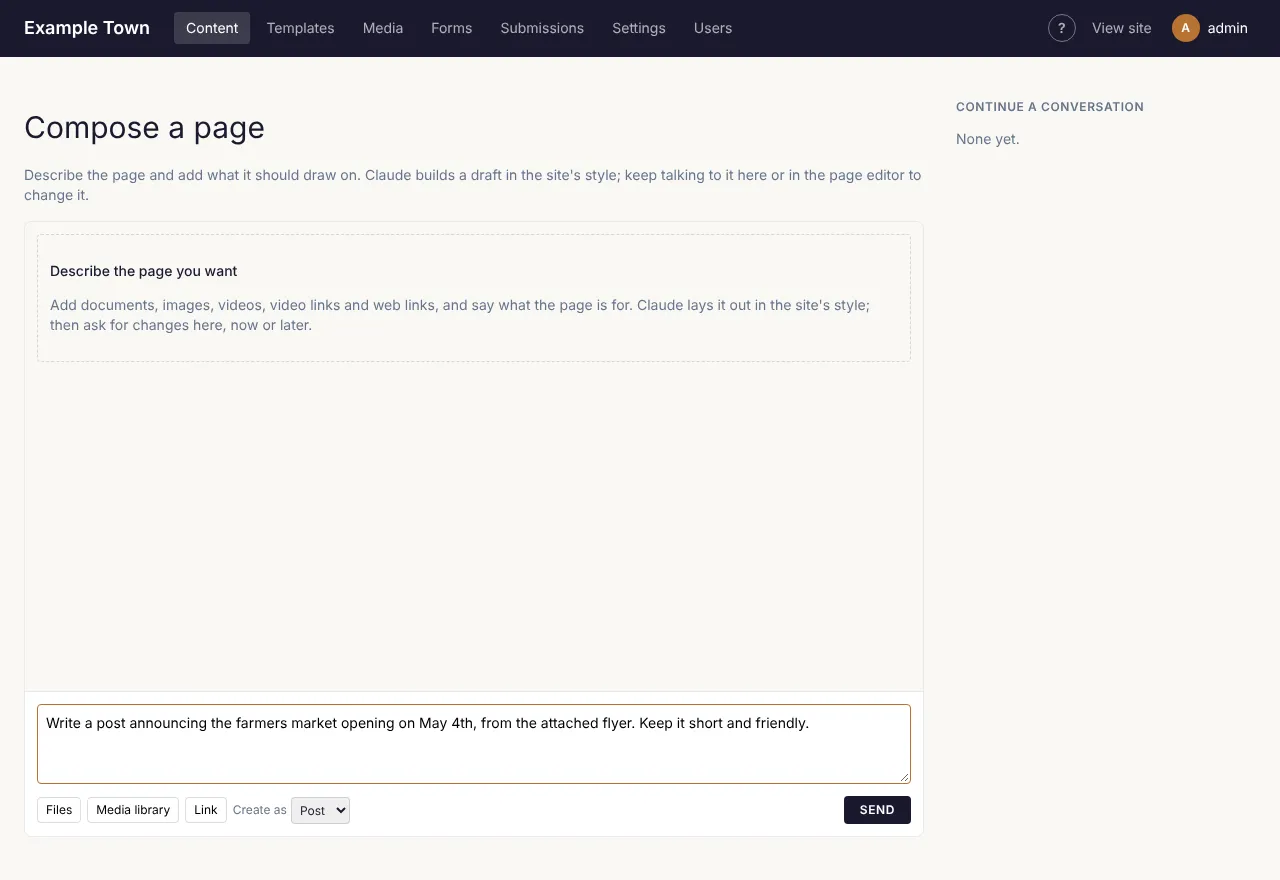
It takes a minute or two. When it is done, the new page opens as a draft in the editor.
Asking for changes
Section titled “Asking for changes”In the page editor, click Compose at the top to open the conversation beside the page. Type what you’d like changed and click Send:
- “Make the opening paragraph warmer and shorter.”
- “Add a section with the opening hours from the flyer.”
- “Use the second photo at the top instead.”
To change just one part, click that block on the page first. The panel shows Editing with the block’s name, and your request only changes that block (or its whole section, if you pick Section).
Good to know
Section titled “Good to know”- Check the facts. Claude writes from what you give it, but read the page before publishing, especially dates, prices and names.
- Your own edits are kept. If you change some words by hand, later requests build on your version.
- Each page keeps its conversation, so you can come back to it another day.
- Compose can also work on templates and the header or footer; the panel says when a change affects every page.
- Write with Claude buttons elsewhere (for example under the excerpt, or Generate in the SEO settings, or Generate beside an image’s alt text in Media) write just that one piece of text.