People and access
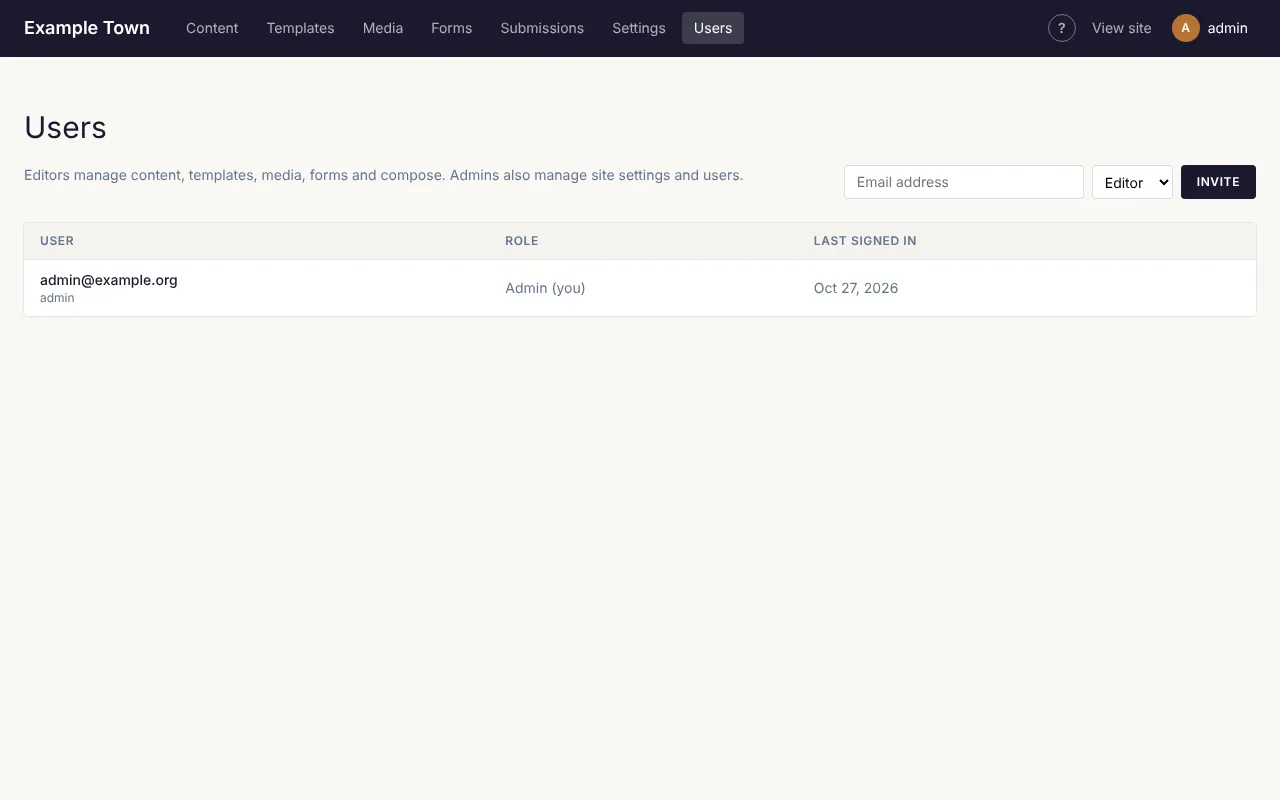
Users (in the top bar, admins only) lists everyone who can sign in to look after the site.
Inviting someone
Section titled “Inviting someone”- Type their email address in the box at the top.
- Choose Editor (content only) or Admin (everything, including settings and users).
- Click Invite.
They get an email with a link to set their password. The link lasts a week. If they can’t find it, click Resend invitation beside their name.
Changing someone’s role
Section titled “Changing someone’s role”Pick a different role beside their name and click Save.
Removing someone
Section titled “Removing someone”Click Delete beside their name. They can no longer sign in. Pages they wrote stay on the site. You can’t delete your own account.
Someone forgot their password
Section titled “Someone forgot their password”They can reset it themselves: on the sign-in screen, Forgot your password? sends them a link.
Members
Section titled “Members”If your site has members-only content, members are managed separately under Members in the top bar. Members can sign in to see members-only pages, but can’t get into these admin screens.