Accessibility
An accessible page works for everyone: people who are blind and hear pages read aloud, people who can’t use a mouse, and people who find small or faint text hard to read. The editor checks for the most common problems as you work.
The A11y check
Section titled “The A11y check”Click A11y on the left side of the editor. It lists anything it finds on the page:
- Problem: something that needs fixing, such as an image with no description or text that is too faint against its background.
- Warning: something a person has to judge, such as a link that just says “click here”.
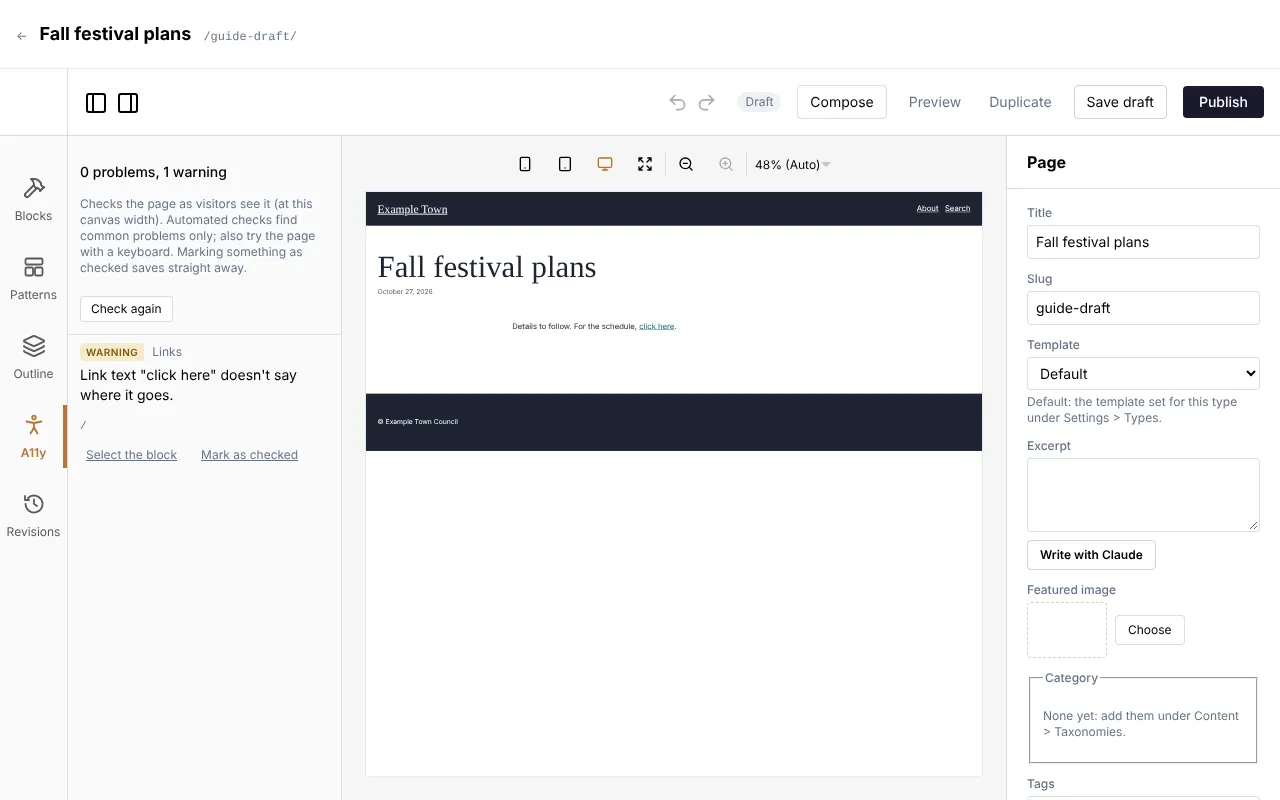
Click Select the block to jump to the block concerned, fix it, and the list updates by itself. Check again runs the check straight away.
Marking something as checked
Section titled “Marking something as checked”Some things can’t be judged by a computer, for example whether text over a photo is easy to read. Look at it yourself, and if it is fine, click Mark as checked, add a note if you like, and confirm. The mark is saved straight away. If the text or picture changes later, the mark lapses and the warning comes back for another look.
Quick fixes for common problems
Section titled “Quick fixes for common problems”| The check says | What to do |
|---|---|
| Image has no alt text | Describe the image (see Images and files). |
| Link text doesn’t say where it goes | Change “click here” to words that say where the link leads, such as “see the full schedule”. |
| Text contrast is too low | Pick a darker text colour, or a lighter background. |
| Heading skips a level | Use headings in order: a page title, then sections, then sub-sections. |
| Text over an image | Check it is easy to read on every part of the picture, then mark it as checked. |
When publishing waits for the check
Section titled “When publishing waits for the check”An admin can turn on Check accessibility before publishing (in Settings, Accessibility). Then, when you click Publish, the check runs first. If anything is left open, the page isn’t published yet and a box appears:
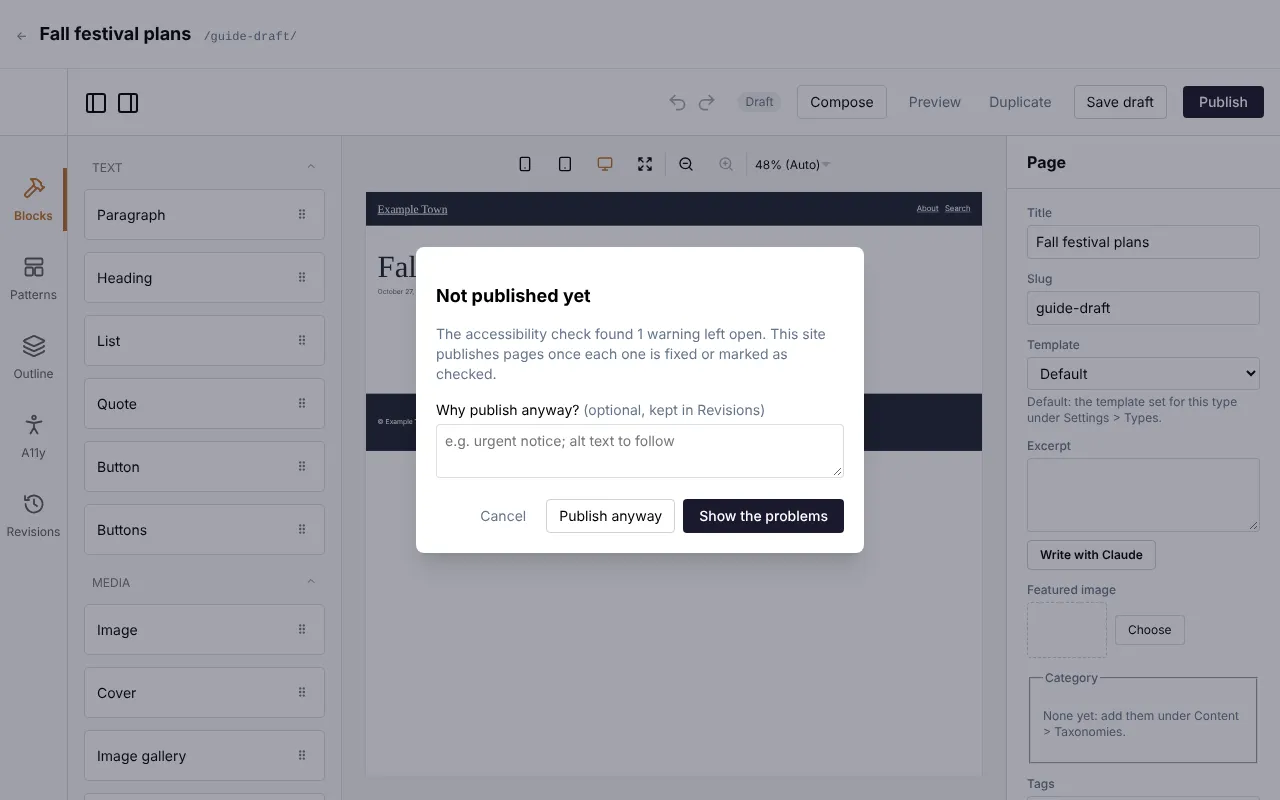
- Show the problems opens the A11y list so you can fix them, then publish again.
- Publish anyway publishes regardless. Say why in the box (for example “urgent notice; alt text to follow”). The reason is kept with that version in Revisions, so the team can follow up.